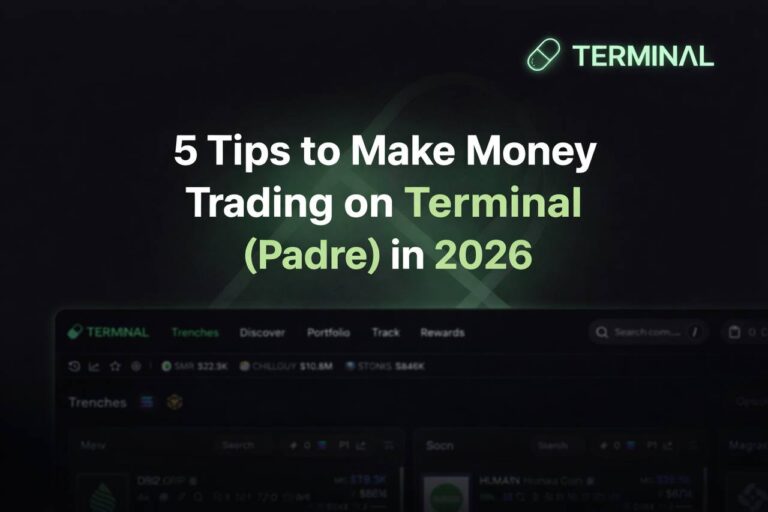
Terminal (formerly Padre) Review 2026: The Multi-Chain Trading Terminal for Serious Traders
Terminal — formerly known as Padre and Padre.gg — has had an interesting 2025. It built a strong reputation as a fast, reliable multi-chain trading terminal, got acquired by Pump.fun in October 2025, rebranded to Terminal, and promptly surged from 4.3% to over 8–10% market share on Solana, briefly overtaking competitors like Trojan, Photon, and GMGN.
If you’ve been trading on Solana and haven’t tried Terminal yet, you’re missing one of the most polished multi-chain platforms in the ecosystem right now.
This review covers what Terminal is, how it works, what changed after the Pump.fun acquisition, its fee structure, and who it’s best suited for in 2026.
What Is Terminal (formerly Padre)?
Terminal is a browser-based multi-chain trading terminal that runs on the web at trade.padre.gg. Unlike Telegram trading bots, it’s a full progressive web app (PWA) — meaning it installs like an app on your phone and delivers a desktop-quality trading experience on any device.
Originally built by a team with backgrounds at Jump Trading, Goldman Sachs, Nvidia, Dropbox, and Ferrari, Padre was designed from day one to bring the speed and precision of institutional trading to on-chain retail traders. The acquisition by Pump.fun in late 2025 added Pump.fun’s memecoin launchpad expertise into the mix — making Terminal particularly powerful for launch trading.
Supported chains: Solana, Ethereum (including Ethervista), Base, BNB Chain
Key Features of Terminal
⚡ Speed and Execution
Terminal’s core selling point is execution speed. The platform is built from the ground up for fast manual trading with precise execution controls: adjustable slippage, priority fees, presets, and limit-style execution across all supported chains.
The team claims it’s the fastest and most reliable memecoin trading terminal on the market — and independent comparisons generally support this, especially for Solana and BNB Chain where Terminal consistently delivers fast, low-failure transaction rates.
🌐 Multi-Chain from a Single Interface
Terminal supports Solana, Ethereum, Base, and BNB Chain — all from the same interface. This is a major advantage over Solana-only bots like Trojan or BONKbot. If memecoin activity shifts from Solana to a different chain (as it has cyclically), Terminal lets you follow the volume without switching platforms.
Each chain gets full support: market orders, limit orders (including stop-loss, buy dip, and take-profit), and the same PWA experience regardless of which network you’re trading on.
📱 Best Mobile Experience in the Space
This is Terminal’s standout feature that no competitor has matched yet. The PWA (Progressive Web App) delivers a seamless, full-featured trading experience on mobile that mirrors the desktop version exactly — 2-click trades, instant chart loading, and full order management all from your phone without needing a separate app download.
For traders who do a lot of mobile trading, this alone is a compelling reason to use Terminal over alternatives.
🔐 2FA + On-Device Key Encryption
Terminal is one of the only platforms in this space to offer 2FA combined with user-generated password encryption for your private keys. The team has no way to access your private keys — they’re encrypted with a password that only you know, stored only on your device.
This is a meaningful security advantage over most competitors that use simpler key management.
📊 Market and Limit Orders Across All Chains
Terminal supports the full range of order types on every supported chain:
- Market orders — instant fills at current price
- Limit orders — execute when a token hits your target price
- Stop-loss — automatically exit a position at a predefined level
- Buy dip — set an order to buy if a token drops to a specific price
- Take-profit — automatically sell into strength at your target
These order types work across all four supported chains, which makes Terminal significantly more capable than basic Telegram bots that often only offer market orders with minimal configuration.
🚀 Pump.fun Integration
Since the acquisition, Terminal has deep integration with Pump.fun’s launchpad. The “Upcoming Launches” mode gives traders advance access to tokens before they officially list on DEXes — one of the most time-sensitive edges in Solana memecoin trading.
Combined with Terminal’s execution speed, this integration makes it one of the most powerful tools available for new token launch trading in 2026.
💰 Copy Trading
Terminal supports copy trading — you can follow and mirror the trades of any public wallet address across supported chains. Positions are replicated in real time.
Terminal Fees
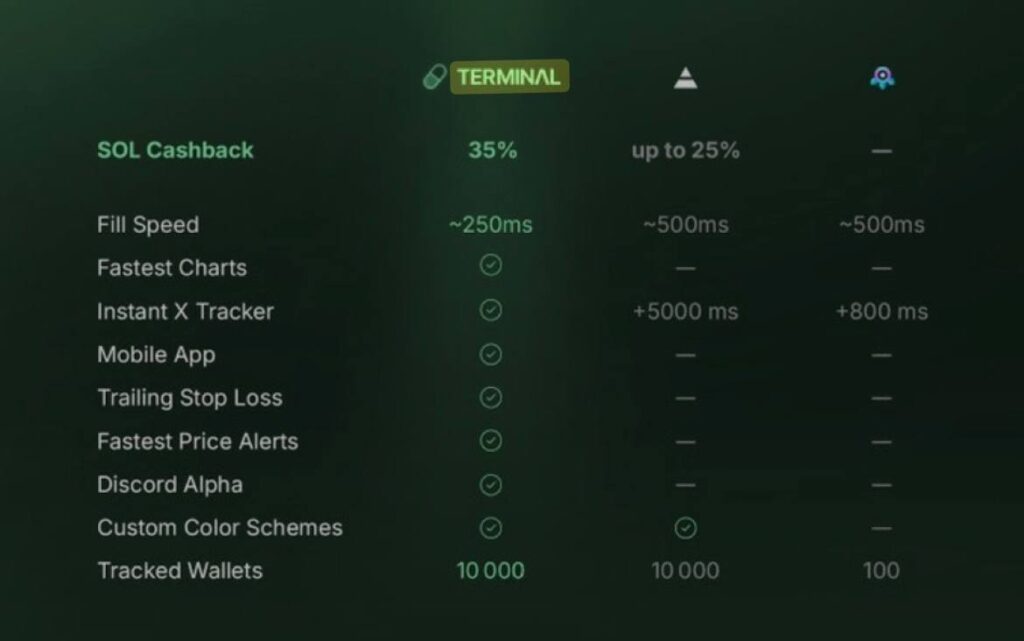
Terminal’s fee structure is simple and competitive:
| Fee | |
|---|---|
| Standard trading fee | ~1% per transaction |
| With referral/discount | ~0.9% per transaction |
| Subscription | None |
| Network fees | Standard chain costs (Solana ~$0.001) |
| PADRE token discount | Holding PADRE reduces in-app fees |
The PADRE token (Terminal’s native token) provides fee discounts, access to token-gated features, and holder rewards. This is optional — you can use Terminal without holding any PADRE.
How to Get Started with Terminal
Step 1 — Open Terminal Go to trade.padre.gg in your browser. Alternatively, use the link at architectrade.xyz/recommends/terminal-formerly-padre/.
Step 2 — Install as a PWA (Optional but recommended) On mobile: tap the share icon → “Add to Home Screen.” On desktop: look for the install icon in your browser address bar. This gives you an app-like experience.
Step 3 — Connect or Create a Wallet Connect an existing Solana wallet (Phantom, Backpack, Solflare) or create a new one inside Terminal. Set up your password for key encryption.
Step 4 — Select Your Chain Choose Solana, Ethereum, Base, or BNB Chain depending on where you want to trade.
Step 5 — Find a Token Use the token discovery interface to find new launches or paste a contract address directly. Terminal surfaces liquidity, holder data, and safety flags immediately.
Step 6 — Configure Your Execution Settings Set slippage and priority fees conservatively at first. Terminal recommends starting with moderate defaults and only increasing after a few test trades.
Step 7 — Execute Your First Trade Start with a small test trade — 0.1–0.2 SOL. Verify execution before scaling up.
Terminal vs Competitors
| Terminal | Trojan | Banana Gun | Maestro | |
|---|---|---|---|---|
| Interface | Web PWA | Web + Telegram | Telegram + Web | Telegram only |
| Chains | SOL, ETH, Base, BNB | SOL (primary) | ETH, SOL, BNB, Base, MegaETH | 10+ chains |
| Mobile experience | ⭐⭐⭐⭐⭐ Best in class | ⭐⭐⭐⭐ | ⭐⭐⭐ | ⭐⭐⭐ |
| Trading fee | ~1% | 0.9–1% | 0.5–1% | 1% + sub |
| 2FA + key encryption | ✅ Only platform | ❌ | ❌ | Partial |
| Pump.fun integration | ✅ Deep | Partial | ❌ | ❌ |
| Copy trading | ✅ | ✅ | ✅ | ✅ |
| Rewards program | PADRE token | Arena (cashback) | BANANA token | Premium sub |
Who Is Terminal Best For?
Terminal is ideal if you:
- Trade across multiple chains and want one interface for everything
- Do a lot of trading from your phone and need a proper mobile experience
- Want the strongest key security available (2FA + on-device encryption)
- Trade new token launches frequently and want Pump.fun integration
- Prefer a browser-based terminal over a Telegram-based bot
Terminal is less ideal if you:
- Want a gamified rewards/cashback system (Trojan’s Arena is better here)
- Trade primarily on 10+ chains (Maestro has broader chain coverage)
- Prefer the simplicity of a Telegram chat interface
Safety: Is Terminal Safe?
Yes — with the right precautions:
- Keys are on-device only — Terminal’s 2FA + user password encryption means the team literally cannot access your private keys
- No major security incidents since launch
- Non-custodial by design — your funds stay in your wallet until trade execution
- Legitimate team with verifiable backgrounds from established institutions
- Always use official links only — fake Terminal clones exist on Telegram
Standard bot safety rules apply: use a dedicated trading wallet, never deposit more than you’re willing to lose on any given session, and withdraw profits to cold storage regularly.
Pros and Cons
Pros:
- Best mobile PWA experience of any Solana trading terminal
- True multi-chain in a single interface (SOL, ETH, Base, BNB)
- 2FA + on-device key encryption — strongest key security in the space
- Full order types on every chain: market, limit, stop-loss, buy-dip, take-profit
- Deep Pump.fun integration post-acquisition
- No subscription fee — pay per trade only
Cons:
- No dedicated rewards/cashback program comparable to Trojan’s Arena
- Still growing market share vs established competitors
- PADRE token mechanics add complexity for beginners
- Occasional new-feature bugs as the platform evolves rapidly post-acquisition
Final Verdict
Terminal is one of the most technically impressive multi-chain trading platforms in the Solana ecosystem right now. The mobile experience is unmatched, the security architecture is the best in class, and the Pump.fun integration gives launch traders a genuine edge.
If your trading takes you across multiple chains — particularly if you move between Solana, Ethereum, and Base depending on where volume is — Terminal is the most practical single-interface solution available.
Try Terminal here via trade.padre.gg.
Frequently Asked Questions
Is Terminal the same as Padre? Yes. Terminal was previously known as Padre and Padre.gg. It was acquired by Pump.fun in October 2025 and rebranded to Terminal. The domain trade.padre.gg still works and redirects to Terminal.
What chains does Terminal support? Solana, Ethereum (including Ethervista), Base, and BNB Chain. All chains are accessible from the same interface.
Is Terminal safe? Yes. Terminal is one of the most secure trading terminals available — it uses 2FA and on-device password encryption, meaning the team has no access to your private keys. Always use a dedicated trading wallet and never deposit more than you plan to actively trade.
How much does Terminal cost? No subscription fee. You pay approximately 1% per executed trade (slightly less with referral links or PADRE token holdings).
Does Terminal work on mobile? Yes — and this is one of its main strengths. Terminal’s PWA gives you a full desktop-equivalent experience on any mobile browser.
What is the PADRE token? PADRE is Terminal’s native token. Holding it reduces in-app fees, provides access to token-gated features, and earns holder rewards.
This article is for informational purposes only and does not constitute financial advice. Crypto trading involves significant risk. Always do your own research before investing.
2 Comments